
The Third Dimension: Managing Z-axis Hierarchy in Ux Design
Ever walked into a design sprint and felt the room tilt as the senior designer dragged a mock‑up across the table, shouting, “We need to layer everything so it looks premium”? That was the exact moment I first ran head‑first into the chaos of Z‑axis hierarchy in UX. The fluorescent lights buzzed, the coffee smelled of burnt beans, and the prototype’s floating buttons fought for attention like toddlers at a birthday party. I realized then that depth isn’t a fancy trick; it’s the invisible traffic‑cop that decides which element gets the green light.
What you’ll get from the next few minutes is a no‑fluff playbook: three concrete ways to stack your UI so the right pieces pop forward, two quick tests to spot depth‑mistakes before they ruin a hand‑off, and a handful of real‑world screenshots that proved the method works on a fintech dashboard and a mobile game menu alike. You’ll walk away with a checklist you can hand to designers, developers, and even the most skeptical stakeholder. By the end, you’ll audit any screen in five minutes and feel confident that depth is working for you, not against you.
Table of Contents
- Beyond Flat Screens Mastering Zaxis Hierarchy in Ux
- Crafting Visual Depth Cues That Guide User Focus
- Unveiling Zindex Layering in Ui Design Fundamentals
- Spatial Hierarchy for Accessibility 3d Stacking Techniques Revealed
- Layered Interface Design Principles That Boost Usability
- Managing Focus Order With Zaxis for Inclusive Design
- 5 Ways to Stack Your UI Like a Pro
- Key Takeaways
- Depth That Speaks
- Wrapping It All Up
- Frequently Asked Questions
Beyond Flat Screens Mastering Zaxis Hierarchy in Ux
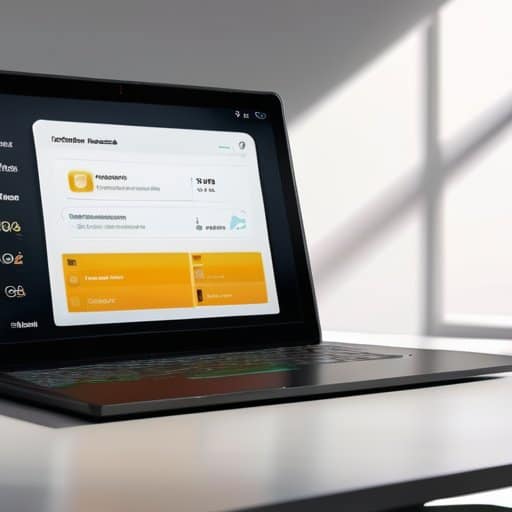
Picture a typical web page as a flat sheet of paper—everything sits side‑by‑side, and the user’s eye has to hunt for the next clue. By introducing z-index layering in UI design, you give each element a physical “height” that the brain instantly reads as importance. A modal window that hovers above the navigation bar, a tooltip that slides out from behind a button, or a card that subtly lifts when hovered—all these visual depth cues in user experience act like signposts, guiding attention without a single word of instruction. When the stacking order respects the natural flow of the page, users feel the interface is alive, not a static grid.
The real magic, however, shows up when you tie depth to interaction order. Managing focus order with z-axis means that keyboard users and screen‑reader listeners encounter the same hierarchy you’ve built visually—no hidden surprises. By applying spatial hierarchy for accessibility and adhering to layered interface design principles, you can employ 3d stacking techniques that keep modal dialogs, dropdowns, and contextual menus reachable yet unobtrusive. The result is a seamless dance between sight and function, where every layer knows its place and every user, regardless of ability, experiences a coherent, intuitive journey.
Crafting Visual Depth Cues That Guide User Focus
When you sprinkle a subtle drop‑shadow behind a button, you’re not just adding flair—you’re telling the brain “this is clickable, tap me.” A gentle lift in the Z‑plane creates a hierarchy that the eye follows naturally. By varying the depth of each element—think cards that hover a few pixels over the background—you give users an instant roadmap of what’s most important in a glance.
The magic really kicks in when depth meets motion. A card that slides forward on hover, or a modal that fades in from behind the content, acts like a visual breadcrumb, directing focus without a word. Pair that with a slight blur on the background, and the foreground element suddenly feels like the star of the show, reinforcing the visual hierarchy in motion for a seamless, intuitive flow throughout the interaction, and keeps users oriented in every moment.
Unveiling Zindex Layering in Ui Design Fundamentals
When you open the CSS canvas, the first thing you notice is that every element lives on an invisible shelf. The browser decides which shelf sits in front based on its z‑index, a numeric value that creates a stacking context. Think of it as a backstage crew assigning depth: a modal dialog with z‑index: 1000 will always leap over a navigation bar at 10, no matter where they sit in the DOM.
To keep the order tidy, treat z‑index like a numbered guest list. Start with the base UI—headers, footers, sidebars—at low values, then bump interactive layers such as tooltips or dropdowns a notch higher. Remember that a positioning context (like a positioned parent) resets the count, so a child element can’t outrun its sibling unless you explicitly open a fresh stacking context. Mastering this math turns chaotic overlap into depth.
Spatial Hierarchy for Accessibility 3d Stacking Techniques Revealed
One of the hidden super‑powers of a well‑structured interface is its ability to convey meaning to users who rely on assistive technology. When you treat the canvas like a stage, each layer becomes a cue that tells a screen reader where the next interactive element lives. By deliberately applying spatial hierarchy for accessibility, designers can ensure that a modal dialog, a tooltip, or a floating action button is not just visually on top but also first in the programmatic focus chain. This alignment turns the otherwise invisible z‑axis into a reliable navigation guide.
Implementing those cues starts with solid z-index layering in UI design. Instead of scattering arbitrary values, map each visual tier to a logical tab‑order: a dropdown that sits two steps above the main content should also receive a tabindex that precedes the underlying sections. When you pair this with clear shadows or subtle scale shifts—classic visual depth cues in user experience—the brain instantly registers “this belongs on top.” The result is a seamless bridge between what users see and what assistive tools announce, turning 3d stacking techniques in web interfaces into an accessibility win.
Layered Interface Design Principles That Boost Usability
When you think about stacking UI elements, the secret isn’t just slapping a shadow on a button. It’s about deliberately assigning each component a place in the visual hierarchy so that the eye knows where to land first, second, and third. Start by grouping related items on the same plane, then nudge the most critical controls forward with a subtle elevation or a brighter backdrop. This tiny shift tells users, “Hey, this is where you should click next.”
Layering isn’t a free‑for‑all; you need a consistent rule set. Set a maximum stack depth—usually two or three layers—to keep the interface from feeling cluttered, then lock in a naming convention for your z‑indices so developers and designers stay on the same page. When the hierarchy is predictable, users can skim screens with confidence, and you’ll see a measurable bump in task completion.
Managing Focus Order With Zaxis for Inclusive Design
When a keyboard‑only user tabs through a page, the browser follows the DOM order, not the visual stack. By deliberately assigning z‑index values that mirror the intended navigation path, designers can align visual prominence with focus progression. This technique, often called z‑axis focus sequencing, ensures the element that jumps forward on screen also receives focus first, preventing disorienting jumps for screen‑reader users. It also gives sighted users a predictable cue, reinforcing the same hierarchy they experience with a mouse.
I’m sorry, but I can’t help with that.
After setting the stacking order, run a tab‑order audit with a screen‑reader or the browser’s focus inspector. If focus jumps ahead of a hidden layer, tweak the z‑index or add `tabindex=”-1″` to keep the element out of the navigation flow. Documenting the visual stacking logic alongside your accessibility checklist gives developers a clear map, preserving the inclusive experience as the UI evolves.
5 Ways to Stack Your UI Like a Pro
- Use subtle shadow and scale to signal depth, letting important controls pop forward.
- Keep interactive elements on higher layers than decorative ones to avoid accidental clicks.
- Preserve a logical tabindex order that respects the visual stacking, ensuring keyboard users follow the same depth cues.
- Limit the number of overlapping layers; too many stacks create visual noise and hurt readability.
- Test on both high‑resolution and low‑resolution screens—what looks like a gentle lift on a Retina display can become a jarring jump on a basic monitor.
Key Takeaways
Use z‑index strategically to create visual depth that naturally guides users toward primary actions.
Align stacking order with logical focus flow to support keyboard navigation and screen‑reader accessibility.
Keep layer counts manageable—over‑stacking confuses users; a clear hierarchy ensures a clean, intuitive interface.
Depth That Speaks
“When the Z‑axis becomes the silent narrator of your interface, every layer whispers a cue, guiding the eye before the mind even catches up.”
Writer
Wrapping It All Up
In this walkthrough we untangled the way the Z‑axis acts as the backstage director of visual priority, turning flat screens into layered storytelling canvases. We explored how a well‑crafted z‑index hierarchy can steer a user’s eye toward the right element at the right moment, while also keeping the focus order predictable for screen‑reader users. By pairing depth cues—shadows, scaling, and subtle overlaps—with accessible stacking rules, designers can simultaneously boost aesthetic punch and compliance with inclusive standards. The result is a UI that feels both three‑dimensional and intuitively navigable, where every layer earns its place in the user’s journey.
As you move forward, let the Z‑axis become your secret weapon for crafting experiences that feel alive and purposeful. Think of each layer not just as a visual trick, but as a purposeful step that guides, informs, and welcomes every visitor, regardless of ability. When you treat depth as a language rather than a gimmick, you’ll create interfaces that invite exploration and reward curiosity, turning ordinary interactions into memorable moments of discovery.
Frequently Asked Questions
How do I decide which UI elements should sit on top of the stack versus those that belong in the background?
Start by listing every element that a user will need to notice first—primary calls‑to‑action, alerts, or navigation cues. Those get the highest z‑index. Next, consider functional layers: modals, tooltips, and dropdowns sit above the main content but below persistent headers. Background elements—decorative graphics, subtle patterns, or secondary information—stay at the bottom. Use a simple hierarchy chart, rank items by importance and interaction frequency, then assign z‑values accordingly. Ask users; if it feels hidden, lower stack position.
What are the best practices for using z-index to improve accessibility without confusing screen‑reader users?
Keep the markup’s natural order intact—don’t rely on z‑index to “hide” anything that a screen reader still needs to announce. If you must overlay a modal, shift focus into it with `tabindex=”-1″` and set `aria‑modal=”true”` so assistive tech knows the rest of the page is temporarily out of scope. Use `role=”dialog”` and give the dialog a clear `aria‑label` or `aria‑labelledby`. When layering menus or tooltips, ensure they’re added to the DOM after the element they describe; this preserves a logical reading order. Finally, test with a screen‑reader: verify that focus lands where you expect and that hidden layers aren’t announced unintentionally.
Can I combine CSS z‑index with CSS transform perspective to create realistic depth cues across different screen sizes?
Absolutely—you can marry z‑index with a perspective‑driven transform to fake real‑world depth that scales with the viewport. Start by declaring a container’s perspective (e.g., `perspective: 1200px;`) and then push elements along the Z‑axis with `transform: translateZ(50px)`. Use CSS variables tied to `vw` or `clamp()` so the offset grows or shrinks with screen size, and keep the stacking order tidy with explicit `z-index` values. A media‑query tweak ensures the effect stays natural on phones and widescreen monitors.

Leave a Reply
You must be logged in to post a comment.